AI image generation has completely changed how people create visuals. In 2026, you don’t need a designer, a camera, or expensive software. You just type what you want and an AI app creates images for free or at very low cost.
But with so many tools available, one question comes up constantly: which AI is best for image generation?
We tested the top platforms hands-on from completely free tools to premium options so you can pick the right one without wasting time or money.
What Is an AI Image Generator From Text?
An AI image generator from text is a tool that converts your written description (called a “prompt”) into a fully generated image using machine learning. You enter a short or detailed description of the image you want, and within seconds you get a matching result whether it’s a realistic photo, an illustration, or a stylized graphic.
These tools are used by content creators, marketers, bloggers, designers, and even home decorators looking for an AI image generator for home design.
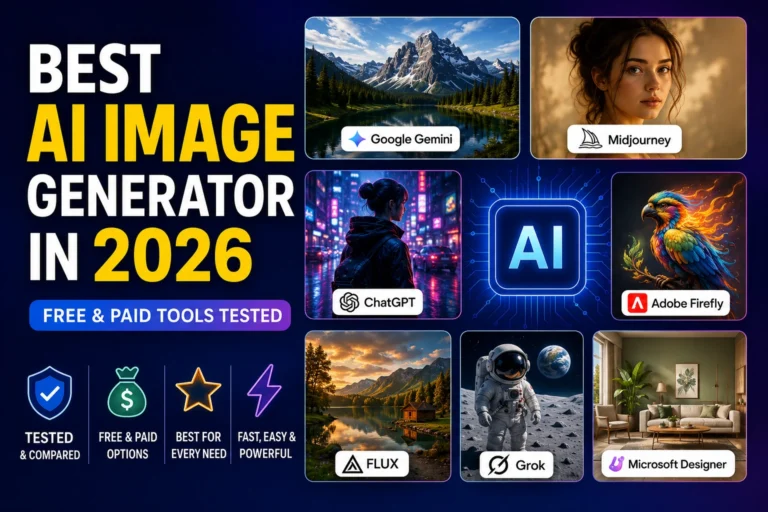
Best AI Image Generators in 2026 — Quick Comparison
| Tool | Best For | Free Plan | Realistic Photos |
| Google Gemini | Overall best free | ✅ Yes | ⭐⭐⭐⭐⭐ |
| Midjourney V7 | Artistic quality | ❌ No | ⭐⭐⭐⭐⭐ |
| ChatGPT (GPT Image 2) | Easy editing | ✅ Limited | ⭐⭐⭐⭐ |
| FLUX AI | Photorealism | ✅ Limited | ⭐⭐⭐⭐⭐ |
| Adobe Firefly | Commercial use | ✅ 25 credits | ⭐⭐⭐⭐ |
| Ideogram | Text in images | ✅ 10/day | ⭐⭐⭐ |
| Grok (xAI) | Creative/unrestricted | ❌ Paid only | ⭐⭐⭐⭐ |
| Microsoft Designer | 100% free option | ✅ Unlimited | ⭐⭐⭐ |
1. Google Gemini — Best Free AI Image Generator Overall
If you want one AI app to create AI images for free with genuinely impressive quality, Google Gemini is the top pick in 2026.
Google Gemini uses the Nano Banana 2 model for image generation. In testing, it gave the most consistent and realistic results and it’s completely free. What makes Gemini stand out is how accurately it follows the prompt. It doesn’t just create a good-looking image; it actually includes almost every detail you ask for.
It also doubles as a solid photo editor AI you can upload an existing image and ask Gemini to modify it using natural language. No complicated interface, no learning curve.
Best for: Beginners, social media creators, everyday use
Free plan: Yes, generous daily limit
Verdict: Best overall free AI image generator in 2026 ✅
2. Midjourney V7 — Best AI for Realistic and Artistic Photos
For pure image quality, nothing beats Midjourney V7. It is consistently ranked as the best AI picture generator for artistic and photorealistic output.
Midjourney handles subtle details like skin texture, pores, hair strands, and ambient lighting better than any competitor. It understands photographic terms like “shot on 35mm,” “golden hour,” and “shallow depth of field” and actually applies them correctly.
This makes it the go-to most realistic AI photo generator for professionals. The downside is pricing Midjourney removed its free trial permanently in late 2024, so you’ll need a paid plan starting at $10/month.
Best for: Designers, photographers, creative professionals
Free plan: ❌ Not available
Verdict: Best AI image generator for realistic photos paid ✅
3. FLUX AI — Most Realistic AI Image Generator
FLUX AI is the specialist pick for photorealism. The FLUX Pro model produces stunningly realistic images with exceptional detail handling complex scenes with multiple subjects, accurate hands, and natural poses. It also follows detailed prompts more accurately than most competitors.
FLUX delivers unmatched accuracy at $0.04/image via API about 50% cheaper than Midjourney. For developers and technical users who want the best AI for image generation without paying monthly fees, FLUX is a smart choice.
Best for: Developers, product photography, photorealism
Free plan: Limited (via partner platforms)
Verdict: Best realistic AI image generator for technical users ✅
4. ChatGPT (GPT Image 2) — Best AI Photo Editor & Generator Combined
ChatGPT is now powered by GPT Image 2, released in April 2026. It works as both an AI image generator from text and a conversational image AI editor — you describe what you want, see the result, then refine it naturally by saying things like “make the background darker” or “add fog.”
The limitation is visual homogeneity ChatGPT images have a recognisable style: a slightly glossy, illustration-heavy look that has become the default aesthetic of AI-generated content in 2026. Your visuals may blend in with everyone else’s.
Still, for quick mockups, social content, and easy photo AI editor tasks, it’s hard to beat for ease of use.
Best for: Non-designers, quick content creation, conversational editing
Free plan: Limited access
Paid: $20/month (ChatGPT Plus)
5. Adobe Firefly — Best AI for Image Editing (Commercial Use)
If you’re looking for the best AI for image editing with commercial safety, Adobe Firefly is the professional’s choice. Firefly leads on commercial licensing clarity trained on licensed content, making it safe for business and client work.
It integrates directly with Photoshop and Adobe Express, making it the best photo editor AI for teams already inside the Adobe ecosystem. The free plan includes 25 generative credits per month enough to test it properly.
Best for: Agencies, marketers, designers with client work
Free plan: 25 credits/month
Paid: From $9.99/month
6. Grok (xAI) — Creative AI Image & Video Generator
Grok, built by xAI (Elon Musk’s AI company), was once one of the most popular free tools known for fewer creative restrictions than competitors. However, Grok Imagine moved behind a paywall in March 2026. Free users now face strict limits, and full access requires an X Premium subscription.
What Grok does offer is a combined image to video AI pipeline. Grok Imagine supports text-to-image, text-to-video with audio sync, and image-to-video animation all through its Aurora engine. Text-to-video uniquely generates matching soundtracks and effects automatically, with no separate audio tool needed.
Best for: Creators who want image + video in one tool
Free plan: Very limited (X Premium required for full access)
Verdict: Powerful, but now mostly paid
7. Microsoft Designer Best 100% Free AI App to Create Images
For users asking “Is there a 100% free AI image generator?” Microsoft Designer is the most honest answer in 2026. It offers 15 fast generations per day, then unlimited standard-speed generation with no credit card required. Its MAI-Image-1 model ranks among the top performers for text rendering inside images.
The quality is not as artistic as Midjourney, but for blog thumbnails, social posts, and quick visuals, it gets the job done at zero cost.
Best for: Beginners, casual creators, anyone on a zero budget
Free plan: ✅ Unlimited (slower after 15/day)
Which AI Is Better Than ChatGPT for Image Creation?
This is one of the most searched questions in 2026. The answer depends on what you need:
- Better for realism → FLUX AI or Midjourney V7
- Better for free use → Google Gemini or Microsoft Designer
- Better for editing → Adobe Firefly
- Better for video → Grok or Kling AI
If you want one tool that covers the widest range of everyday work with the least friction, ChatGPT Images is the best default for most people. But if your workflow is art-first, text-heavy, commercial-safety-sensitive, or API-heavy, another tool is the smarter buy.
Which AI Can Generate Real Images?
Tools that generate the most realistic AI photos in 2026 are:
- FLUX Pro — best for photorealistic scenes
- Midjourney V7 — best for realistic portraits and landscapes
- Google Gemini (Nano Banana Pro) — incredibly realistic with crazy sharp detail and it can create realistic images like no other free tool available.
Image to Video AI — What Are the Options?
Several tools now offer image to video conversion using AI:
- Grok Imagine — fast image-to-video with auto audio (paid)
- Kling AI — strong for creative video with start/end frame control
- Google Veo 3 — Google’s video generation, built into Gemini
- Runway AI — professional-grade video editing and generation
These tools are transforming how content creators, marketers, and YouTubers produce videos without cameras.
Final Verdict — Which AI Image Generator Is Right for You?
| Your Need | Best Tool |
| Best free AI image generator | Google Gemini |
| Most realistic AI photo generator | FLUX AI / Midjourney |
| Best AI for image editing | Adobe Firefly |
| 100% free, unlimited | Microsoft Designer |
| Image to video AI | Grok / Kling AI |
| Best AI app to create images for free | Google Gemini |
| Best for commercial use | Adobe Firefly |
The best AI image generator for you depends on your use case, budget, and skill level. Start with Google Gemini if you want free and fast results. Upgrade to Midjourney or FLUX AI when quality becomes the priority.
FAQ
Q: Which AI image generator is completely free in 2026?
A: Google Gemini and Microsoft Designer are the best completely free AI image generators in 2026. Both require no credit card and offer daily free image generation with good quality results.
Q: What AI is better than ChatGPT for image creation?
A: For realistic photos, FLUX AI and Midjourney V7 are better than ChatGPT. For free use, Google Gemini beats ChatGPT. For commercial-safe editing, Adobe Firefly is the stronger choice.
Q: Which AI can generate the most realistic images?
A: FLUX AI and Midjourney V7 produce the most realistic AI photos in 2026. Google Gemini’s Nano Banana Pro model is the best free option for realistic image generation.
Q: Is there a 100% free AI image generator with no watermark?
A: Yes. Microsoft Designer offers unlimited free image generation with no watermark. Google Gemini also provides free daily images without watermarks on downloaded files.
Q: Can AI image generators also create videos?
A: Yes. Tools like Grok Imagine, Kling AI, and Google Veo 3 offer image to video AI features in 2026. You can either generate videos from text prompts or animate existing photos into short video clips.
Explore more useful AI tools on Multiple AI Tools. Need help with text content? Try our free Word Counter or browse all Text Tools. Have questions? Contact us anytime.